
Below is a detailed review of the ZimaBoard, its use cases, and a side-by-side comparison with the ZimaBoard 2, leveraging insights from available sources.
Overview
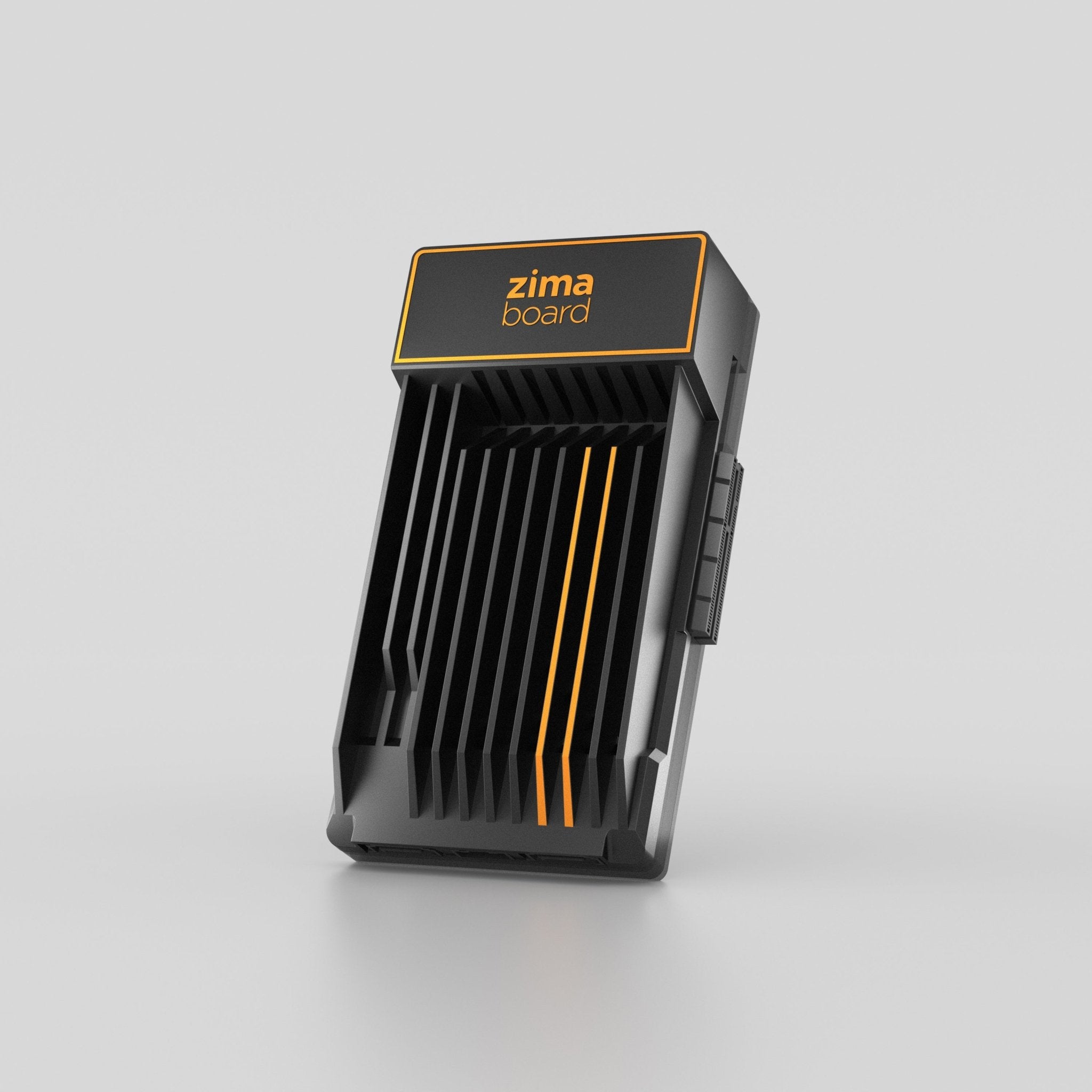
Launched by IceWhale Technology in 2021 via a successful Kickstarter campaign, is marketed as the “world’s first hackable single-board server.” It’s a compact, x86-based single-board computer (SBC) designed for creators, offering a balance of affordability, versatility, and power efficiency. Available in three models—216, 432, and 832—the ZimaBoard targets users interested in building low-cost network-attached storage (NAS), media servers, home automation hubs and much more.
Key Features
- Processor: Intel Apollo Lake Celeron processors (e.g., N3350 dual-core for 216, N3450 quad-core for 432/832), dated but sufficient for lightweight server tasks.
- Memory and Storage: 2GB, 4GB, or 8GB LPDDR4 RAM; 16GB or 32GB eMMC storage, with dual SATA ports supporting up to 36TB external storage.
- Connectivity: Dual Gigabit Ethernet ports, dual USB 3.0 ports, mini-DisplayPort, and a PCIe 2.0 x4 slot for expansion.
- Operating System: Ships with CasaOS (Debian-based with Docker support), but supports Windows, Linux distributions, and others like OPNsense, pfSense, Proxmox, and TrueNAS.
- Design: Compact (5.46 x 3.2 x 1.36 inches), passively cooled with a sleek aluminum heatsink, silent operation, and a 6W TDP.
- Price: Ranges from $120 (216) to $200 (832), making it more expensive than a Raspberry Pi but competitive for x86-based SBCs.
Performance
The ZimaBoard is not a powerhouse but excels in low-to-moderate workloads. The Apollo Lake processors handle tasks like file serving, media streaming (e.g., Plex, Jellyfin), and lightweight virtualization adequately. Its x86 architecture ensures broader software compatibility compared to ARM-based boards like the Raspberry Pi, supporting applications that don’t run well on ARM. The eMMC storage offers read speeds up to 175 MB/s and write speeds of 50-100 MB/s, sufficient for OS hosting but slow for heavy I/O tasks. The PCIe slot, though limited to 2.0 x4, allows for creative expansions like additional SATA ports or even a low-power GPU (e.g., GT 710 for Folding@home). Thermal performance is solid, with CPU temperatures around 72°C under heavy loads, thanks to passive cooling.
Pros
- Versatile expansion options (PCIe, SATA, USB).
- x86 architecture for wide OS and app compatibility.
- Silent, power-efficient design.
- CasaOS simplifies setup for beginners with one-click Docker app installs.
- Sleek, durable build with included case and heatsink.
Cons
- Dated processor (2016-era Apollo Lake) limits performance for demanding tasks.
- Non-upgradable RAM and eMMC storage.
- PCIe slot placement increases footprint and lacks support for heavy cards.
- No Wi-Fi (requires Ethernet or a PCIe Wi-Fi module).
- More expensive than Raspberry Pi, which may suffice for simpler projects.
User Experience
The ZimaBoard is praised for its plug-and-play simplicity. Setup involves connecting power and Ethernet, then accessing the CasaOS dashboard via the board’s IP address. CasaOS’s intuitive UI makes it easy to manage storage, install Docker apps (e.g., Nextcloud, Home Assistant), and monitor system resources. Advanced users can replace CasaOS with Proxmox for virtualization or TrueNAS for robust NAS setups. The board’s exposed design appeals to tinkerers, though cable management can get messy with multiple peripherals.
Use Cases of ZimaBoard
Network-Attached Storage (NAS):
With dual SATA ports and support for up to 36TB of storage, the ZimaBoard is ideal for building a budget-friendly NAS. CasaOS simplifies RAID 0/1 setups for media storage, while TrueNAS or OpenMediaVault can be installed for advanced NAS features. It’s suitable for non-critical data like Plex libraries or personal cloud storage (e.g., Nextcloud).Media Server:
The ZimaBoard handles 1080p media streaming well with apps like Plex, Jellyfin, or Emby. Its mini-DisplayPort supports 4K output, though transcoding 4K content may strain the CPU. It’s a great choice for a quiet, low-power media hub.Home Automation Hub:
Running Home Assistant or Node-RED, the ZimaBoard can manage smart home devices like cameras, lights, and sensors. Its dual Ethernet ports make it a reliable gateway for IoT traffic analysis (e.g., Wireshark, MITM Proxy).Software Router/Firewall:
With pfSense or OpenWrt, the ZimaBoard serves as a compact router or firewall. Dual Gigabit Ethernet ports support high-speed networking, ideal for small networks or VPN setups.Lightweight Virtualization:
Using Proxmox or QEMU/KVM, the ZimaBoard can host lightweight virtual machines or Docker containers for testing environments, web servers, or development (e.g., openvscode-server). It’s not suited for heavy VM workloads due to limited RAM and CPU power.Edge Computing and IoT Gateway:
The ZimaBoard’s low power consumption and Docker support make it suitable for edge computing tasks, such as processing IoT data or running distributed workloads.Educational Projects:
Its x86 architecture and PCIe slot make it a great platform for learning about server management, Docker, or hardware tinkering, offering more flexibility than ARM-based SBCs.
Side-by-Side Comparison: ZimaBoard vs. ZimaBoard 2
| Feature | ZimaBoard | ZimaBoard 2 |
|---|---|---|
| Processor | Intel Apollo Lake (N3350 dual-core or N3450 quad-core, 1.1-2.4 GHz) | Intel Twin Lake N150 (quad-core, up to 3.6 GHz) |
| RAM | 2GB, 4GB, or 8GB LPDDR4 (soldered, non-upgradable) | 8GB or 16GB LPDDR5 (soldered, non-upgradable) |
| Storage | 16GB or 32GB eMMC; 2x SATA 3.0 (up to 36TB) | 32GB or 64GB eMMC; 2x SATA 3.0 (up to 32TB) |
| Ethernet | Dual 1GbE ports (Broadcom) | Dual 2.5GbE ports |
| USB Ports | 2x USB 3.0 Type-A | 2x USB 3.1 Type-A |
| PCIe Slot | PCIe 2.0 x4 | PCIe 3.0 x4 |
| Video Output | Mini-DisplayPort (4K support) | Mini-DisplayPort 1.4 (4K support) |
| Operating System | CasaOS (Debian-based, Docker-focused); supports Windows, Linux, pfSense, etc. | ZimaOS - based on CasaOS (supports Windows, Linux, etc.) |
| Cooling | Passive (aluminum heatsink) | Passive (improved aluminum enclosure) |
| Dimensions | 5.46 x 3.2 x 1.36 inches | Slightly thinner (1mm longer, 4mm thinner) |
| Weight | Lightweight (acrylic cover) | Heavier (full aluminum enclosure) |
| Power Consumption | ~6W TDP (excluding peripherals) | ~3.4W idle, improved efficiency |
| Price | $120 (216), $160 (432), $200 (832) | $179 (832), $249 (1664) (Kickstarter pricing, retail may be higher) |
| Availability | Widely available | Crowdfunding (Kickstarter, shipping August 2025) |
Key Differences between the two models
- Performance: ZimaBoard 2’s Intel N150 processor offers a ~200% performance boost over the Apollo Lake CPUs, with better graphics (24 compute units) and optional external GPU support via PCIe 3.0. It handles multitasking and moderate workloads (e.g., light virtualization, AI inferencing) more effectively.
- Memory and Storage: ZimaBoard 2 upgrades to faster LPDDR5 RAM (up to 16GB) and offers a 64GB eMMC option. However, eMMC write speeds remain slow (~35 MB/s), and it lacks a dedicated NVMe port, relying on PCIe or USB adapters for SSDs.
- Networking: Dual 2.5GbE ports on ZimaBoard 2 provide faster network throughput, ideal for NAS or high-speed file transfers, compared to ZimaBoard’s 1GbE ports.
- Expansion: ZimaBoard 2’s PCIe 3.0 x4 slot is a significant upgrade, supporting faster PCIe cards (e.g., NVMe adapters, GPUs). However, bracket compatibility issues persist, requiring modifications for some cards.
- Operating System: ZimaBoard 2 uses ZimaOS, an evolution of CasaOS, with improved RAID management, file sharing, and Docker support. It’s more polished but still labeled as “ZimaCube” in some interfaces, indicating ongoing optimization.
- Design: ZimaBoard 2’s full aluminum enclosure is more robust and premium, though slightly heavier. Its packaging doubles as a stand for the board and SATA drives, a clever touch.
- Price and Availability: ZimaBoard 2 is pricier, starting at $179, and is currently in crowdfunding with shipping planned for August 2025. ZimaBoard is more affordable and readily available.
Which to Choose?
- ZimaBoard: Ideal for budget-conscious users needing a reliable, widely available SBC for basic NAS, media streaming, or home automation. Its lower price and proven track record make it a safe choice for beginners or those with light workloads.
- ZimaBoard 2: Better for users seeking improved performance, faster networking, and future-proofing. It’s suited for more demanding tasks like light virtualization, AI processing, or high-speed file serving. With network applications like OPNsense, the two 2.5Gbps ports and the more performant CPU paired with 16GB LPDDR5 will definetly come in handy.
Conclusion
The ZimaBoard is a versatile, power-efficient SBC that excels as a NAS, media server, or home automation hub, though its dated processor and non-upgradable components limit its scalability. The ZimaBoard 2 addresses many of these shortcomings with a faster CPU, LPDDR5 RAM, 2.5GbE ports, and a more robust design, making it a compelling upgrade for homelab enthusiasts willing to invest in a crowdfunding project. Both boards cater to DIY server builders, but the ZimaBoard 2’s enhanced capabilities make it better suited for modern, performance-intensive applications.