As someone who’s spent years tinkering with network security tools, part hobby, part necessity, I’ve grown to love software that hands me the reins to my Mac’s inner workings. Little Snitch, a macOS firewall application from Objective Development, has earned a permanent spot on my dock. It’s more than a firewall, it’s a peek into the hidden chatter of network activity, delivering control and clarity that’s tough to match. But how does it stack up against alternatives like OpenSnitch, Radio Silence, or The Murus Team’s suite? Let’s dive in with a detailed look at its benefits, value, and a no-holds-barred take on its pros and cons.
What Is Little Snitch, and Why Should You Care?
Little Snitch is a host-based firewall built to monitor and manage outbound network connections on your Mac. Unlike traditional firewalls that focus on incoming threats, it flips the script, keeping tabs on what your apps send out. When your browser pings a site or some obscure process tries to phone home, Little Snitch throws up an alert: allow or deny? It’s like a bouncer at your Mac’s exit, checking every departing guest’s credentials.
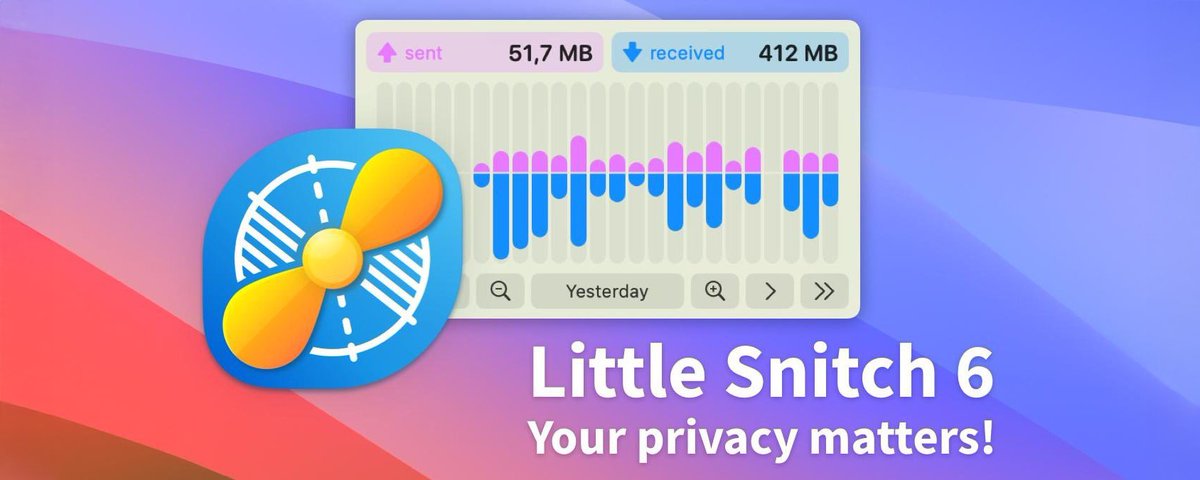
The crown jewel is its Network Monitor—a dashboard with a world map tracing your connection paths, a list of apps and their connections, and detailed traffic stats. It’s a practical tool with a nerdy thrill—those arcing lines across the globe make me feel like I’m tracking signals in a spy flick.
Under the hood
For the gearheads, Little Snitch’s tech stack is a treat. Pre-version 5, it leaned on kernel extensions via Apple’s old API to hook into network traffic—low-level, efficient, but fragile with macOS updates. Since macOS Catalina axed kernel extensions, version 5 pivoted to Apple’s Network Extension framework, a user-space approach that’s more future-proof. It’s less invasive now, sipping CPU and RAM by capturing connection data in the background—no need for the Network Monitor to stay open 24/7.
Rules are tied to cryptographic code signatures, not just file paths, so renamed or moved apps don’t dodge detection—unless you opt for path-based ID, a legacy tweak. The real-time map? It’s not just pretty; it resolves IPs to geolocation (imperfectly, sure) and logs ports, protocols (TCP/UDP), and traffic volume. Version 6 (if we’re there by now) added DNS encryption—DoH, DoT, or DoQ via services like Quad9—shielding your lookups from snoopers. You can even script it via a command-line interface, pulling logs or tweaking rules for automation nerds.
Why Little Snitch Shines?
Unmatched Transparency Little Snitch lifts the veil on your apps’ behavior. Ever wondered why your photo editor’s chatting with a server in China? I have—and Little Snitch caught it, letting me block it. In an era where apps quietly ship data without asking, this visibility is gold.
Granular Control It’s not just “yes” or “no.” You can craft rules by domain, port, or time—say, letting an app hit its update server but blocking everything else. I’ve used it to tame chatty apps like Slack, keeping them functional but private. It’s precision that feels powerful.
Silent Mode Flexibility Fresh installs can flood you with pop-ups—trust me, it’s a lot. Silent Mode saves the day, logging connections quietly for later review. I tweak rules at my pace, no workflow interruptions, which is a godsend when I’m deep in a project.
Security Beyond the Basics It’s not an antivirus, but it’s a malware tripwire. I’ve spotted rogue processes hitting odd IPs—stuff macOS’s built-in firewall missed. Paired with tools like BlockBlock, it’s a layered defense that keeps me ahead of the curve.
Polished User Experience The interface is pure Mac—sleek, intuitive, and satisfying. The interactive map, detailed logs, and smooth animations show Objective Development’s care. It’s not just a tool; it’s a delight to use, which matters when you’re staring at it daily.
What’s the Real Payoff?
Little Snitch isn’t just features—it’s empowerment. In a digital world where privacy feels like a pipe dream, knowing exactly what’s leaving my Mac—and stopping it cold—is a quiet superpower. For developers, power users, or anyone uneasy about app overreach, it’s a game-changer. The 59$ price tag is a tad high, but the peace of mind and control? Worth every penny to me. Speaking of control, I once spent an afternoon blocking my smart coffee maker’s connection because I swore it was gossiping about my caffeine habits—turns out it was just syncing with an app I’d forgotten about. Wild, right? Little Snitch turned that mystery into a laugh.
It’s also a teacher. I’ve learned more about macOS’s guts—think "
.geod" or system daemons—from its logs than any manual. It’s a daily networking lesson, wrapped in a slick package.
The Honest Breakdown
Pros:
Depth of Insight: The Network Monitor’s a data goldmine—connection origins, traffic volume, all at your fingertips.
Customization: Rules can be broad or razor-sharp, with profile switching for home vs. work.
Reliability: Stable, well-supported, and Ventura-ready as of March 2025 (version 5.7).
Visual Appeal: That map’s both functional and mesmerizing—a rare combo.
Trust Factor: Years of community love back its reputation.
Cons:
Price Tag: 59$ for one license (upgrades extra) isn’t casual-friendly.
Learning Curve: Newbies face an alert storm—crafting rules takes trial and error.
Mac-Only: Windows or Linux users need not apply.
Resource Use: Light by bloatware standards, but older Macs might feel a nudge.
How Does It Compare?
OpenSnitch:
What It Is: A free, open-source firewall, mainly for Linux, with a rough macOS port. It mirrors Little Snitch’s outbound focus—alerts, rules, transparency.
Comparison: OpenSnitch’s utilitarian UI and basic logs can’t touch Little Snitch’s polish or map. It’s free but buggy on macOS, lacking the depth and stability.
Verdict: Linux DIYers will dig it; macOS users get more with Little Snitch.
BlockBlock:
What It Is: Free from Objective-See, BlockBlock flags apps trying to install persistent files (e.g., in /Library).
Comparison: It’s not a firewall—think of it as Little Snitch’s sidekick, catching what network tools miss. No traffic monitoring, just install alerts.
Verdict: Complements Little Snitch, not a rival—great for layered security.
Radio Silence:
What It Is: 59$ gets you a no-frills blocker—cut apps off the internet with one click.
Comparison: Radio Silence is blunt where Little Snitch is surgical. No real-time insights, just a basic monitor and a toggle. It’s cheaper and simpler, but shallow.
Verdict: Perfect for quick fixes; Little Snitch wins for depth.
The Murus Team’s Suite - A Multi-Tool Approach:
Murus (10$–40$): A PF firewall for network pros—ports, IPs, NAT. Deep but not app-focused unless paired with Vallum (Pro bundle).Vs. Little Snitch: Murus owns the network layer; Little Snitch rules apps. Steeper curve, less polish.
Vallum (15$): App-level control with IP/port rules and a Flows Monitor.Vs. Little Snitch: Close in app focus, but setup-heavy and no map. A budget contender.
Scudo (10$): Hybrid simplicity—PF inbound, app outbound, bandwidth caps.Vs. Little Snitch: Lighter, less powerful, but user-friendly.
Snail (Free with Vallum, 10$ alone): Throttles app bandwidth, not a firewall.Vs. Little Snitch: Adds data control, not a competitor.
Adsorb (10$): Blocks ad servers network-wide.Vs. Little Snitch: Privacy booster, not a firewall match.
Verdict: Vallum’s the closest rival for app control; Murus flexes network muscle. Scudo’s for casuals, Snail and Adsorb are extras. Little Snitch blends it all with flair.
Other Players:
LuLu (Free, Objective-See): Blocks unknown outbound traffic by default. Simple, no customization—good for minimalists, not power users.
GlassWire (Windows, 39$+): Little Snitch vibes for Windows—graphs, paid firewall tier. Pretty but platform-limited.
Final Thoughts: Is Little Snitch Worth It?
After years of flirting with alternatives, Little Snitch keeps pulling me back. The price bites, and the initial alert flood tests your patience—I’ve cursed it more than once. But once you’ve dialed in your rules and cozied up to that Network Monitor, it’s hard to let go. It’s the gold standard for macOS outbound control, blending power, polish, and a learning curve that pays off. OpenSnitch’s free but rough, Radio Silence is cheap and simple, Vallum’s a solid mid-tier pick, and Murus flexes for network geeks—yet none hit Little Snitch’s sweet spot.
If you’re short on cash or hooked on open-source options, OpenSnitch or LuLu could suffice. BlockBlock’s a no-cost bonus for those paranoid about persistence, and Scudo’s a simple pick for laid-back users. But if you’re willing to shell out 59$ for a top-tier, all-in-one solution, Little Snitch reigns supreme. It’s more than just a tool—it’s my loyal companion navigating the chaotic frontier of the web, and I wouldn’t swap it easily.