
Crowdsec CTI Integration python script
I’ve been working on an integration between Crowdsec CTI and Suricata, both running on OPNsense. The purpose of the integration is to have Suricata in IPS mode with a set of preferred rules configured to alert only. All triggered alerts are logged in the fast.log format. A CrowdSec CTI script made in python parses the fast.log file and queries all entries in the log. If an IP is marked as Malicious or Suspicious by the CrowdSec CTI, it is added to a new log called filtered-fast.log and subsequently blocked based on the Suricata collection. The script implements a TTL cache mechanism with a 1-hour duration to avoid excessive queries and conserve allocated API requests when an IP triggers multiple alerts. IPs marked as Benign, Safe, Known, or Unknown are skipped and not added to filtered-fast.log. The public IP of the gateway (in my case, the WAN/PPPoE interface) is also explicitly excluded from queries. In this version of the script I am also sending Benign IP’s to the filterd-fast.log and filtering out Nmap alerts. You can define in the script if there is anything that you want to exclude from the query search. The script also maintains its own logs for informational and debugging purposes, stored at /usr/local/bin/crowdsec/crowdsec_cti.log and /usr/local/bin/crowdsec/crowdsec_cti_debug.log. The script handles API errors (e.g., 429 rate limits with exponential back off, 404 for unknown IPs)and caches “Unknown” responses for failed queries. Before having the CTI integration functional, have a look on how to Integrate Crowdsec with Suricata and push the logs to fast.log In order for this integration to work you also need the Crowdsec for Suricata Collection installed
vim /usr/local/bin/crowdsec-cti.py
chmod +x crowdsec-cti.py
For the script to run on OPNsense insure you also have the following packages installed:
pkg install python3 py39-pip
pip install requests python-rapidjson cachetools tenacity psutil
Running as a Service
This is the script you will need to make Crowdsec CTI run as a service
I have configured the script to run as a service in OPNsense, with support for PID management and commands for start, stop, restart, and status. To achieve this, create a new file named crowdsec_cti in the directory /usr/local/etc/rc.d. Make the file executable with the command:
chmod +x /usr/local/etc/rc.d/crowdsec_cti
Here is an example of how the alerts show in the crowdesec_cti.log for informational purpose. ↴
2025-05-09 19:40:32,465 - INFO - Query for 220.133.92.196 (Malicious)
2025-05-09 19:40:32,465 - INFO - Added [query] to filtered-fast.log: IP 220.133.92.196 (Malicious, Behaviors: ['tcp:scan', 'generic:exploit']) - 05/09/2025-19:40:31.922218  [**] [1:2027768:2] ET EXPLOIT Possible VXWORKS Urgent11 RCE Attempt - Urgent Flag [**] [Classification: Attempted Administrator Privilege Gain] [Priority: 1] {TCP} 220.133.92.196:41050 -> 188.25.59.24:59571
2025-05-09 19:40:32,465 - INFO - Cache for 220.133.92.196 (Malicious)
2025-05-09 19:40:32,465 - INFO - Added [cache] to filtered-fast.log: IP 220.133.92.196 (Malicious, Behaviors: ['tcp:scan', 'generic:exploit']) - 05/09/2025-19:40:31.922218  [**] [1:2027770:2] ET EXPLOIT Possible VXWORKS Urgent11 RCE Attempt - Illegal Urgent Flag [**] [Classification: Attempted Administrator Privilege Gain] [Priority: 1] {TCP} 220.133.92.196:41050 -> 188.25.59.24:59571
2025-05-09 22:31:27,901 - INFO - Cache for 162.159.136.232 (Safe)
2025-05-09 23:18:07,877 - INFO - Query for 43.158.112.30 (Unknown)
2025-05-09 23:18:08,601 - INFO - Query for 43.158.112.3 (Unknown)
2025-05-10 13:51:32,741 - INFO - Added [query] to filtered-fast.log: IP 54.37.81.238 (Malicious, Behaviors: ['ssh:bruteforce', 'http:scan', 'http:dos', 'telnet:bruteforce', 'generic:scan', 'tcp:scan', 'generic:exploit', 'http:exploit', 'pop3/imap:bruteforce']) - 05/10/2025-13:51:32.250071  [**] [1:2029054:2] ET SCAN Zmap User-Agent (Inbound) [**] [Classification: Detection of a Network Scan] [Priority: 3] {TCP} 54.37.81.238:35218 -> 188.25.59.24:5001
2025-05-10 13:51:37,423 - INFO - Cache for 54.37.81.238 (Malicious)
2025-05-10 13:51:37,423 - INFO - Added [cache] to filtered-fast.log: IP 54.37.81.238 (Malicious, Behaviors: ['ssh:bruteforce', 'http:scan', 'http:dos', 'telnet:bruteforce', 'generic:scan', 'tcp:scan', 'generic:exploit', 'http:exploit', 'pop3/imap:bruteforce']) - 05/10/2025-13:51:37.395691  [**] [1:2029054:2] ET SCAN Zmap User-Agent (Inbound) [**] [Classification: Detection of a Network Scan] [Priority: 3] {TCP} 54.37.81.238:35218 -> 192.168.1.100:443
When we see the INFO - Added [query] it means a new query has been made, and when INFO - Added [cache] it means that the IP has triggered multiple times in 1 hours and it is now served from cache instead of making a new query. If that IP is already in the decision list, no further action will be taken.
cat /var/log/suricata/filtered-fast.log
05/15/2025-11:43:21.651161  [**] [1:2402000:7370] ET DROP Dshield Block Listed Source group 1 [**] [Classification: Misc Attack] [Priority: 2] {TCP} 198.235.24.106:57201 -> 192.168.1.100:443 [CrowdSec CTI: Malicious]

cscli decision list
╭───────────┬──────────┬───────────────────┬───────────────────────────────────────┬────────┬─────────┬──────────────────────────────┬────────┬────────────┬──────────╮
│     ID    │  Source  │    Scope:Value    │                 Reason                │ Action │ Country │              AS              │ Events │ expiration │ Alert ID │
├───────────┼──────────┼───────────────────┼───────────────────────────────────────┼────────┼─────────┼──────────────────────────────┼────────┼────────────┼──────────┤
│ 143722389 │ crowdsec │ Ip:198.235.24.106 │ crowdsecurity/suricata-major-severity │ ban    │ US      │ 396982 GOOGLE-CLOUD-PLATFORM │ 1      │ 1h50m46s   │ 13718    │
╰───────────┴──────────┴───────────────────┴───────────────────────────────────────┴────────┴─────────┴──────────────────────────────┴────────┴────────────┴──────────╯
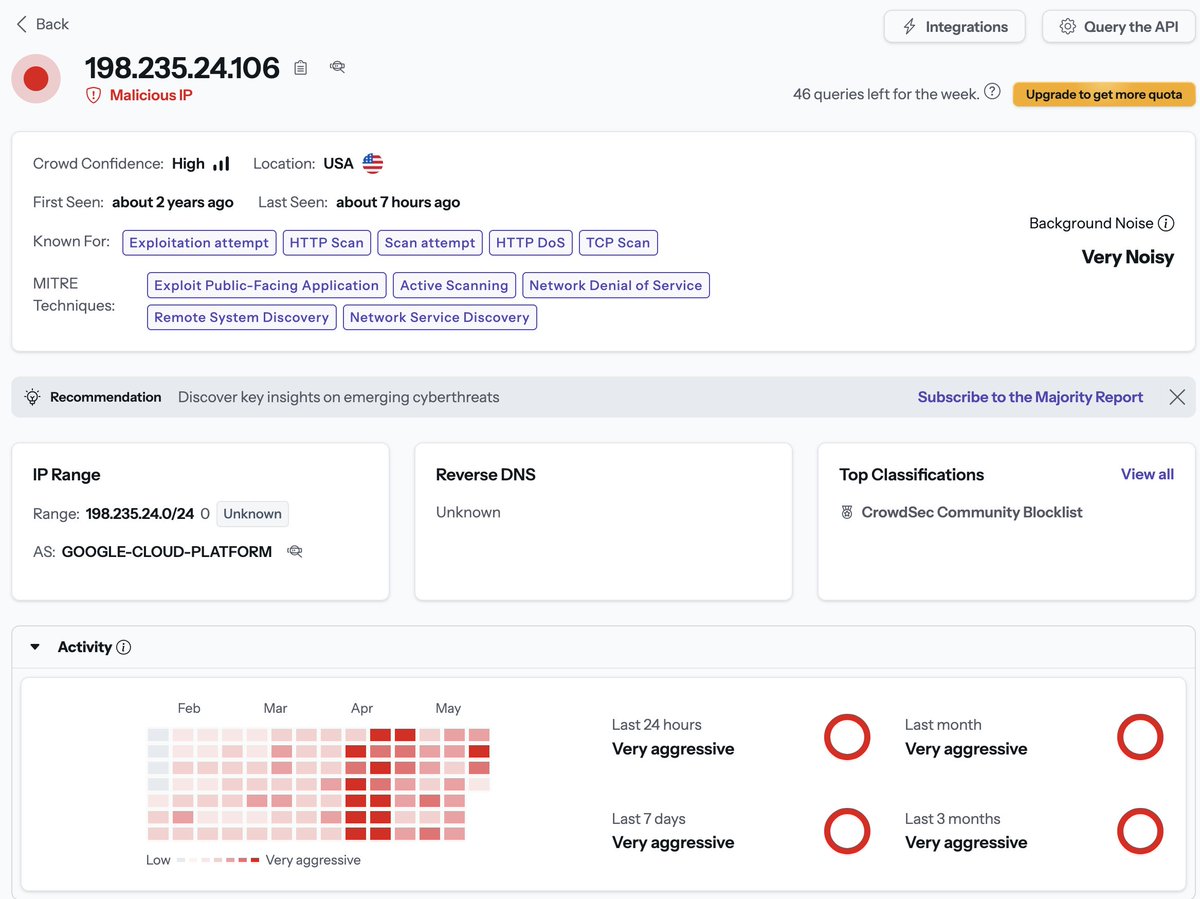
In order for the Crowdsec parser for Suricata to work with filtered-fast.log, the suricata.yaml located in /usr/local/etc/crowdsec/acquis.d/suricata.yaml needs to be adapted correspondingly. This config will parse the new filtered-fast.log file. ↴
---
filenames:
  - /var/log/suricata/filtered-fast.log
labels:
  type: suricata-fastlogs
---
Create a CTI API key in the settings section of your Crowdsec account ↴
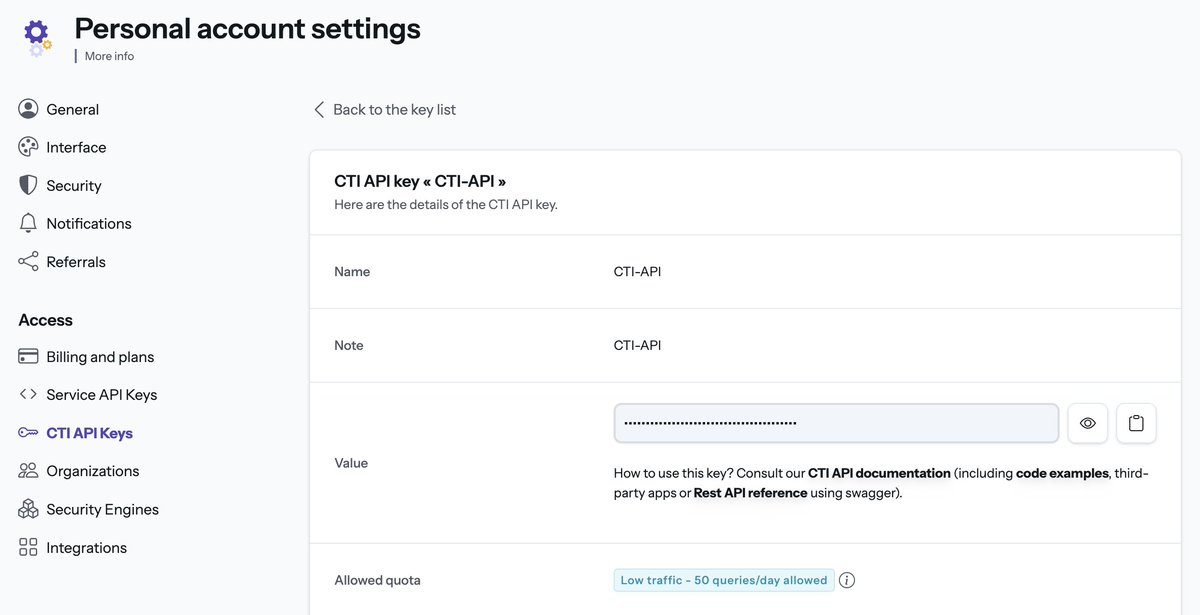
Crowdsec API documentation can be found here
In this section of the code, add your Crowdsec API key ↴
# CrowdSec CTI API configuration
API_KEY = os.getenv("CROWDSEC_API_KEY", "YOUR API HERE")
if not API_KEY:
    logging.error("API key not found in environment variable CROWDSEC_API_KEY")
    exit(1)
API_URL = "https://cti.api.crowdsec.net/v2/smoke/{}"
HEADERS = {"x-api-key": API_KEY}
If you have any other question regarding how the implementation work, please reach out to me or ask directly in the Crowdsec Discord channel.