
Awesome CLI tools for productivity and more
#linux #linuxterminal #terminal #bash #neovim #vim #plugin #cursor #terminal #commandline #programmer
I have found the following tools to be very useful on a day-to-day basis when using the terminal. The combination of these tools is highly efficient. Please let me know your thoughts if you’ve tried them.
I will install the following tools on macOS using homebrew. If you are not familiar with homebrew you can check it out here : https://brew.sh/
Homebrew
Install homebrew using the following command:
/bin/bash -c "$(curl -fsSL https://raw.githubusercontent.com/Homebrew/install/HEAD/install.sh)"
For Apple Silicon run the following commands also:
echo 'eval "$(/opt/homebrew/bin/brew shellenv)"' >> ~/.zprofile
eval "$(/opt/homebrew/bin/brew shellenv)"
1: fzf (command line fuzzy finder)
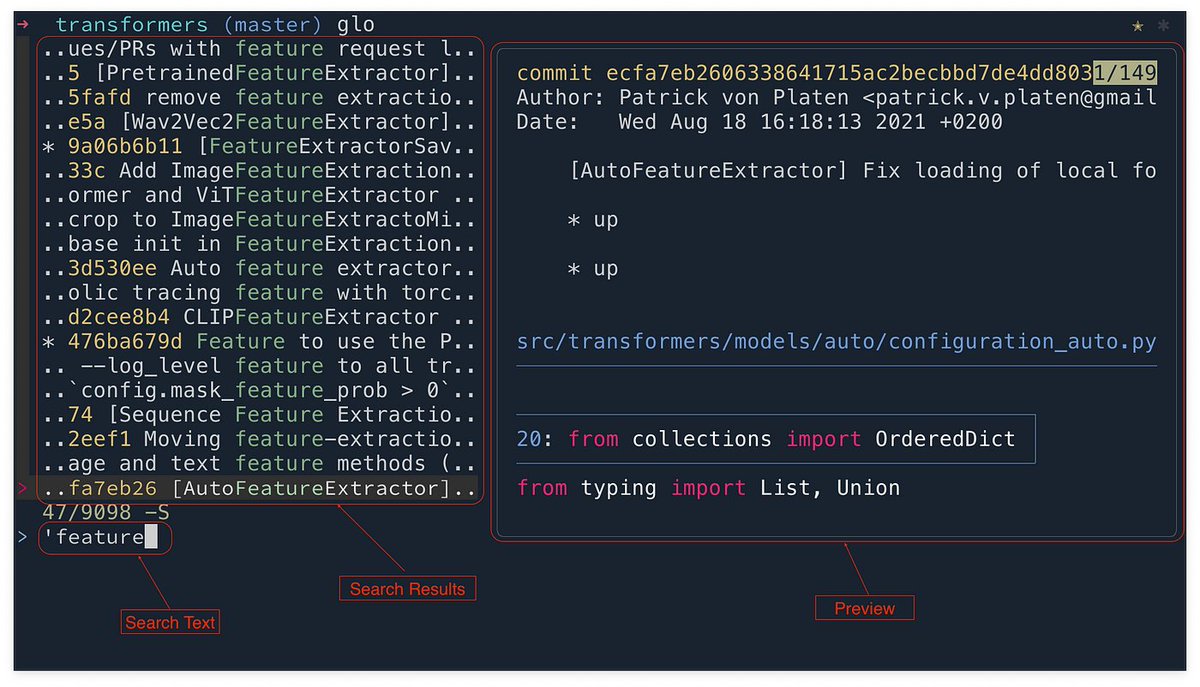
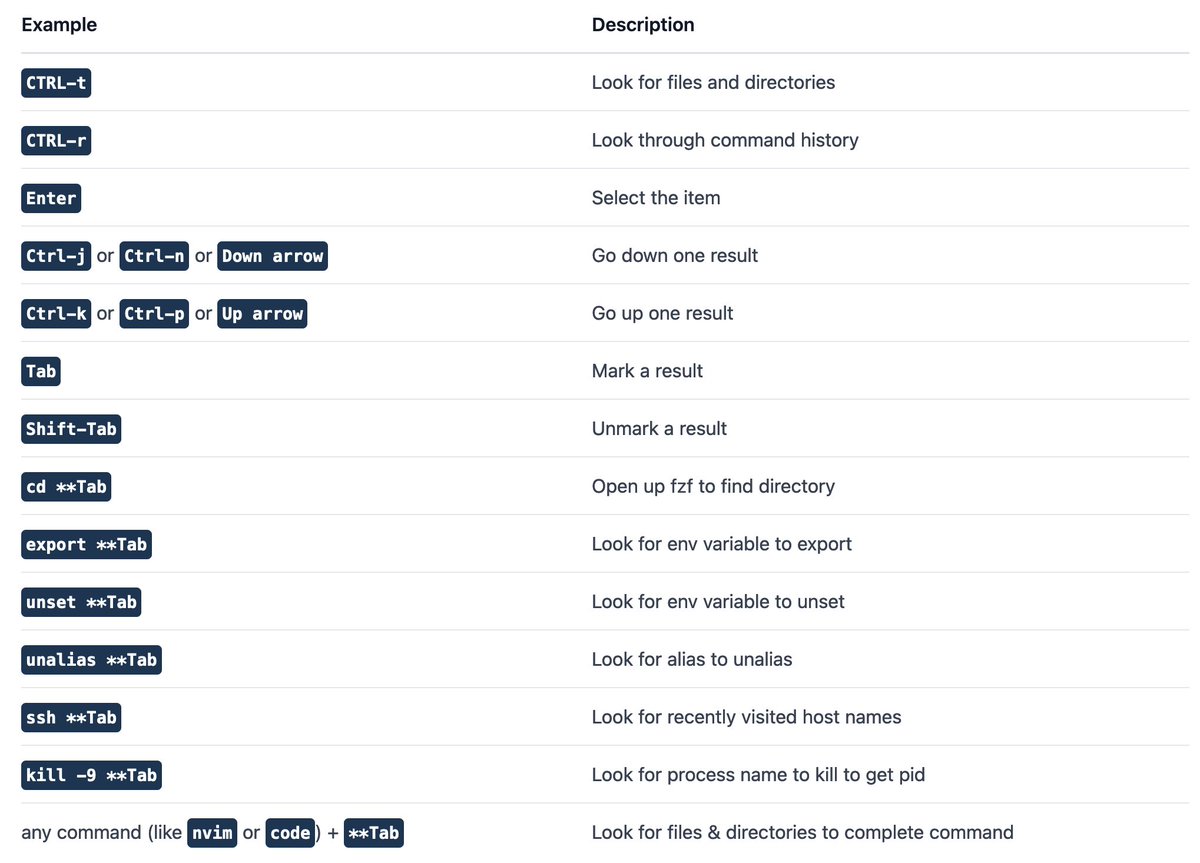
fzf is an amazing fuzzy finder for the command line.
brew install fzf
2: bat (better cat)
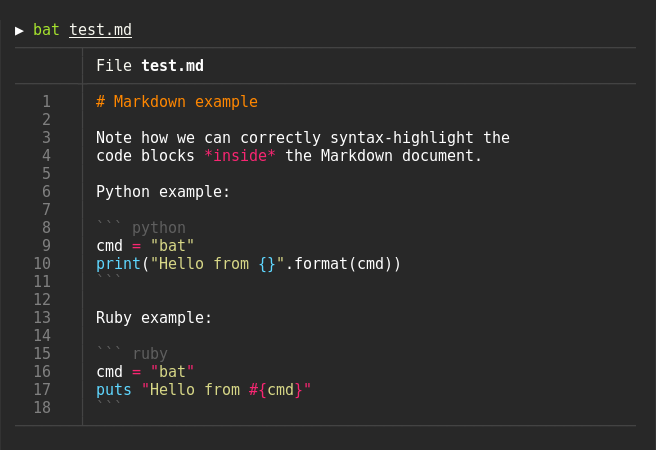
bat is a really nice alternative to cat to display file contents in the terminal with syntax highlighting.
brew install bat
3: zoxide (better cd)
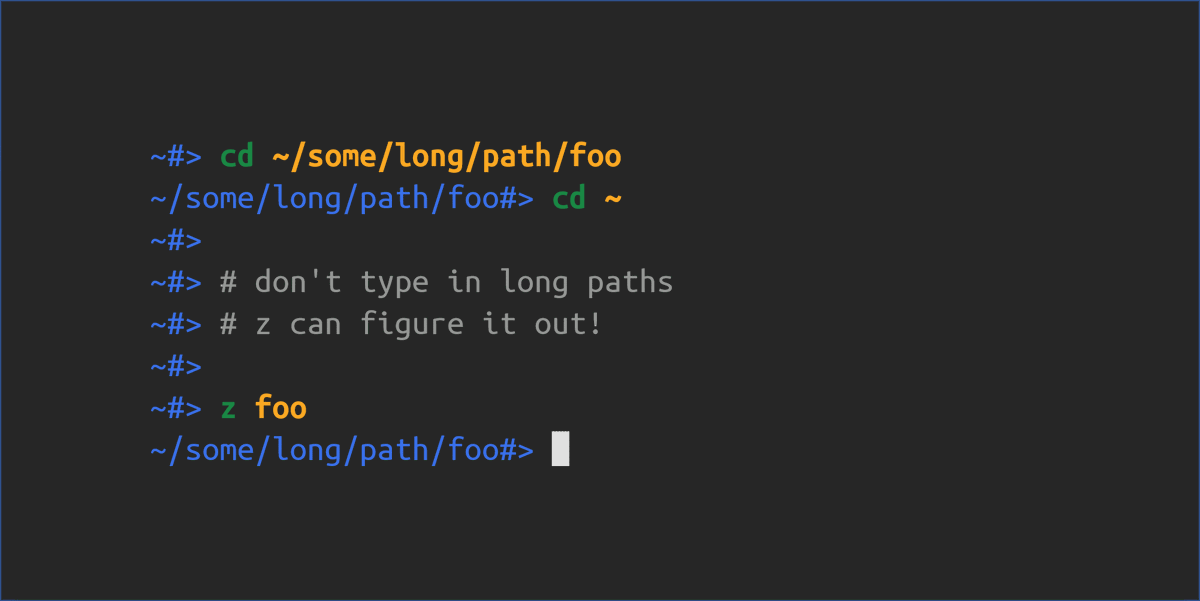
zoxide is an amazing alternative to cd.
It will remember the directories you’ve visited in the past and make it really easy to navigate back to them by just typing out a portion of the name of the directory you want to visit.
brew install zoxide
4: eza (better ls)
eza is a better version of ls with lots of different options.
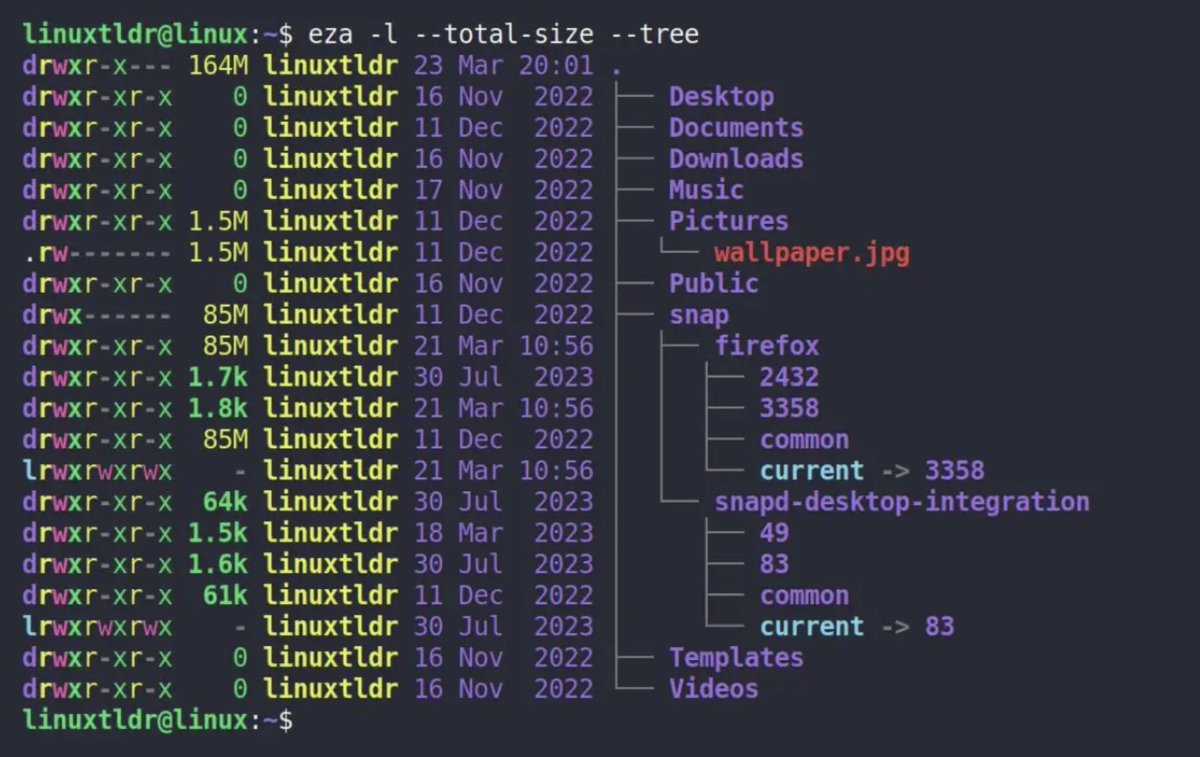
brew install eza
5: thefuck
thefuck is a really nice tool to auto correct mistyped commands.

brew install thefuck
6: neovim
Neovim is a modern, enhanced fork of Vim, a popular text editor for programmers. It offers improved functionality, extensibility, and a better development experience while retaining compatibility with Vim’s features. Neovim is especially suited for developers who want a highly customizable and performant editor.
brew install neovim
7: fd
For a better functionalityLet’s replace fzf with fd
brew install fd
Open ~/.zshrc file with your favorite editor and add the following. I personally use Neovim.
### ---- FZF -----

Set up fzf key bindings and fuzzy completion
eval "$(fzf --zsh)"
fzf by default uses the find command to look for files and directories.
Let’s replace that with fd for better functionality.
# -- Use fd instead of fzf --

export FZF_DEFAULT_COMMAND="fd --hidden --strip-cwd-prefix --exclude .git"
export FZF_CTRL_T_COMMAND="$FZF_DEFAULT_COMMAND"
export FZF_ALT_C_COMMAND="fd --type=d --hidden --strip-cwd-prefix --exclude .git"

# Use fd (https://github.com/sharkdp/fd) for listing path candidates.
# - The first argument to the function ($1) is the base path to start traversal
# - See the source code (completion.{bash,zsh}) for the details.
_fzf_compgen_path() {
  fd --hidden --exclude .git . "$1"
}

# Use fd to generate the list for directory completion
_fzf_compgen_dir() {
  fd --type=d --hidden --exclude .git . "$1"
}
Setup a custom theme for fzf If you want to make your own check out the
# --- setup fzf theme ---
fg="#CBE0F0"
bg="#011628"
bg_highlight="#143652"
purple="#B388FF"
blue="#06BCE4"
cyan="#2CF9ED"

export FZF_DEFAULT_OPTS="--color=fg:${fg},bg:${bg},hl:${purple},fg+:${fg},bg+:${bg_highlight},hl+:${purple},info:${blue},prompt:${cyan},pointer:${cyan},marker:${cyan},spinner:${cyan},header:${cyan}"
Setup fzf previews
Combining eza with bat will result in some really nice previews for fzf.
show_file_or_dir_preview="if [ -d {} ]; then eza --tree --color=always {} | head -200; else bat -n --color=always --line-range :500 {}; fi"

export FZF_CTRL_T_OPTS="--preview '$show_file_or_dir_preview'"
export FZF_ALT_C_OPTS="--preview 'eza --tree --color=always {} | head -200'"

# Advanced customization of fzf options via _fzf_comprun function
# - The first argument to the function is the name of the command.
# - You should make sure to pass the rest of the arguments to fzf.
_fzf_comprun() {
  local command=$1
  shift

  case "$command" in
    cd)           fzf --preview 'eza --tree --color=always {} | head -200' "$@" ;;
    export|unset) fzf --preview "eval 'echo ${}'"         "$@" ;;
    ssh)          fzf --preview 'dig {}'                   "$@" ;;
    *)            fzf --preview "$show_file_or_dir_preview" "$@" ;;
  esac
}
Add thefuck to the .zshrch config
# thefuck alias
eval $(thefuck --alias)
Add the config for zoxide together with an alias for cd:
# ---- Zoxide (better cd) ----
eval "$(zoxide init zsh)"

alias cd="z"
Save the .zshrc config file and run the following command
source ~/.zshrc
To further improve your terminal you can add the following plugins:
ZSH Autosuggestion
Install zsh-autosuggestions:
git clone https://github.com/zsh-users/zsh-autosuggestions ${ZSH_CUSTOM:-~/.oh-my-zsh/custom}/plugins/zsh-autosuggestions
ZSH Syntax Highlighting
Install zsh-syntax-highlighting:
git clone https://github.com/zsh-users/zsh-syntax-highlighting.git ${ZSH_CUSTOM:-~/.oh-my-zsh/custom}/plugins/zsh-syntax-highlighting
Open the “~/.zshrc” file in your desired editor and modify the plugins line to what you see below.
plugins=(git zsh-autosuggestions zsh-syntax-highlighting)
Load these new plugins by running:
source ~/.zshrc
If the plugins fail to load with this method, simply add the following two lines in the .zshrc config file and reload.
source ${ZSH_CUSTOM:-~/.oh-my-zsh/custom}/plugins/zsh-syntax-highlighting/zsh-syntax-highlighting.zsh

source ${ZSH_CUSTOM:-~/.oh-my-zsh/custom}/plugins/zsh-autosuggestions/zsh-autosuggestions.zsh